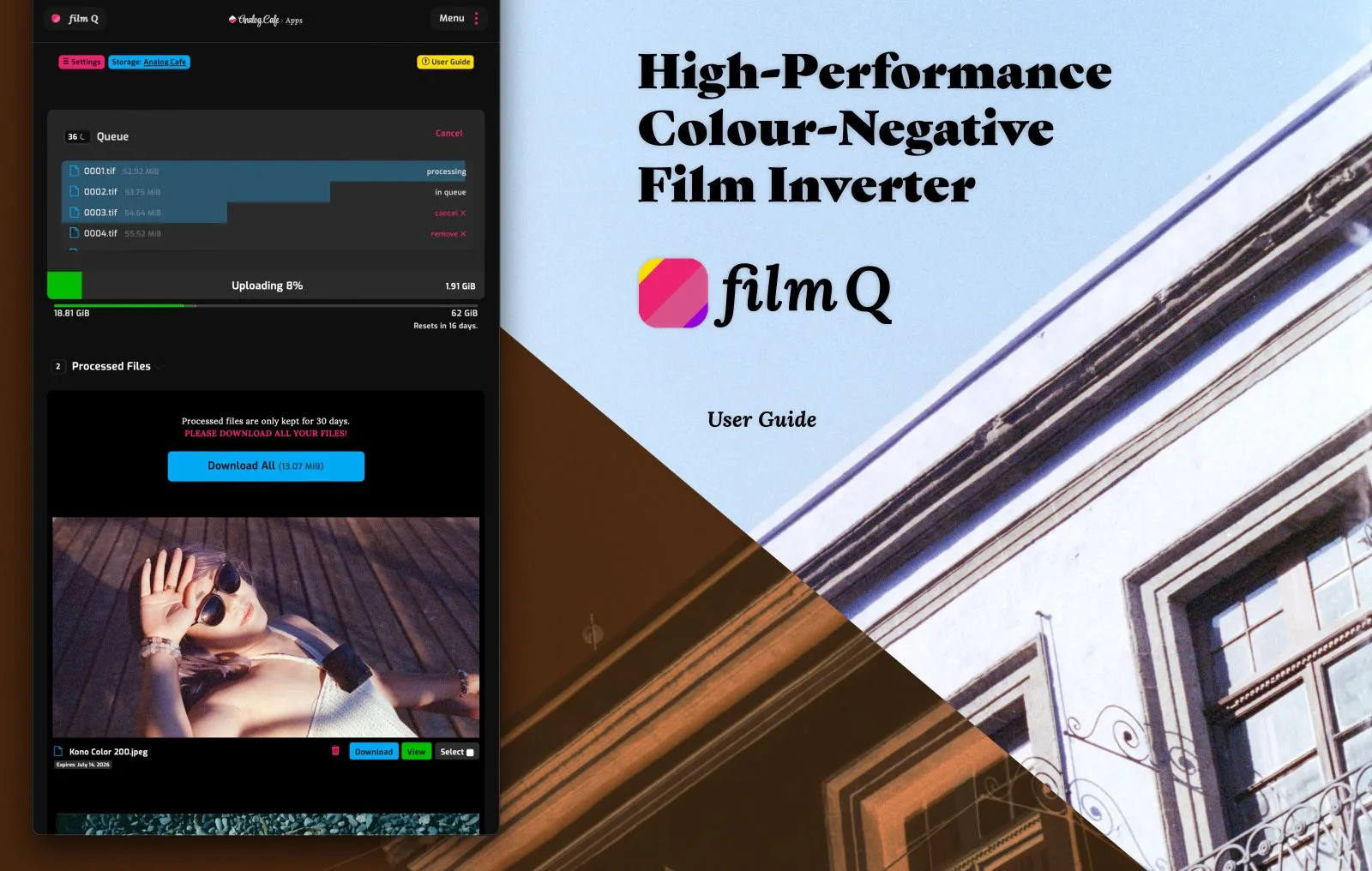
In June 2026, Analog.Cafe released film Q, a negative inversion tool with exactly one button. No exposure sliders, no scanner simulations, no film stock profiles — you upload a scan, press Invert, and download a flat 16-bit positive. It is the most radical simplification the category has seen since Negative Lab Pro popularized one-click conversion inside Lightroom, and it lands in a market that has never offered more ways to turn an orange-masked negative into a photograph.
One scope note before the comparisons. This guide covers the inversion apps themselves — the web, mobile, and standalone tools that do one job well. If you run a full desktop editing pipeline and want conversion built directly into your RAW editor, see our guide to Capture One's native negative conversion, which covers the Film Negative mode Capture One shipped in version 16.7 in February 2026.
Inversion software used to mean a plugin, a host application, and a desktop computer. In 2026, it can mean one button in a browser tab.
Why Inversion Is Its Own Step
Digitizing a negative is two separate problems. The first is capture: photographing or scanning the frame at high resolution. The second is inversion: reversing the tonal curve, removing the orange mask of C-41 color film, and balancing the three color channels so the result looks like the scene you shot. Capture is mostly a hardware problem. Inversion is entirely a software problem, and it is where most home-scanned rolls go wrong — a raw inverted file with no mask correction looks thin, cyan, and lifeless.
Our guide on how to scan film negatives covers the capture half: light sources, film holders, camera settings, and resolution targets. This article covers what happens after the shutter clicks — the five tools most film photographers are actually choosing between in mid-2026.
film Q: One Button in a Browser (New in June 2026)
film Q is the newest entry, built by Dmitri of Analog.Cafe and included with the site's GOLD membership at $5 per month as of July 2026. It runs in any web browser — Mac, Windows, Linux, iOS, Android — because the processing happens in the cloud, not on your device. Analog.Cafe's user guide, published June 16, 2026, describes the design philosophy plainly: no exposure sliders, no color controls, just an Invert button that produces a flat, uncorrected 16-bit positive you finish in the editor of your choice.
The specifications are more serious than the single button suggests. film Q accepts camera RAW files, TIFFs, PNGs, JPEGs, and 10-bit HEIC, with files up to 300 MiB and a monthly processing allowance of 12 GiB on the standard tier. According to the June 2026 user guide, a full 36-exposure roll of camera-scan RAW files takes about 10 minutes to process on a 150 Mbps connection. Inverted files sync across devices for 30 days, and an optional Dropbox integration watches folders so tethered captures invert automatically. It also handles a job most rivals ignore: automatically removing color casts from faded slide film scans and base fog from expired negatives.
The trade-offs are honest ones. You need an internet connection, big files upload slowly, and the flat output assumes you want to do your own color correction afterward. film Q is deliberately not an all-in-one tool.
Track this in the app: Film Roll Tracker
Negative Lab Pro: Still the Lightroom Benchmark
Negative Lab Pro remains the reference point that every other tool gets compared against. As of July 2026 it costs $99 for a license covering two computers, requires Adobe Lightroom Classic as its host, and version 3.1 added refined color processing, slide film support, and native Apple Silicon performance. The free trial is the full program limited to 24 conversions.
Its strength is workflow depth for camera scanners: conversions stay non-destructive inside your Lightroom catalog, batch roll processing is mature, and a decade of community presets and lab-emulation profiles exists around it. Its weakness is the dependency — if you do not already pay for Lightroom Classic, the real cost of entry is the plugin plus an Adobe subscription.
SmartConvert: Standalone Precision From Filmomat
SmartConvert comes from Filmomat, the German company better known for its automated film processors. It is a standalone Mac and Windows app — no Lightroom, no Photoshop — priced at €199 one time for up to four devices, per Filmomat's shop as of July 2026. Version 3.40 added native Apple Silicon support, and the feature set targets high-volume camera scanning: automatic frame detection and cropping, flat-field correction to remove light-source vignetting, hot folders for tethered capture, and 16-bit TIFF export. A watermarked demo is available before buying.
Filmomat also offers SmartConvert Live, an Android companion app listed at $10.99 on Google Play as of July 2026, which converts negatives in real time through the phone camera — useful for previewing film on a light table before committing to a full scan.
FilmLab: One License From Phone to Desktop
FilmLab takes the opposite approach to film Q's minimalism: one product spanning macOS, Windows, Linux, iOS, and Android under a single license. As of July 2026, pricing runs $7.99 per month, $59.99 per year, or $199.99 for a lifetime license, all with a 14-day trial. The desktop release (version 3.5, May 2026) handles RAW camera scans and batch conversion, while the mobile apps can invert a strip of negatives held up to the light in seconds — the fastest way to see what is on a freshly developed roll before it ever meets a scanner.
For photographers who want one subscription covering a phone preview workflow and a desktop finishing workflow, FilmLab is the only tool on this list that does both natively.
The Free and One-Time Options
grain2pixel is the long-standing free option: a Photoshop extension for Mac and Windows that converts camera-scan RAW and scanner files in batch, developed by a single hobbyist and still free in 2026. The catch is the host requirement — you need an active Photoshop license, which makes it "free" only for people already inside Adobe's ecosystem.
Worth watching in the same budget bracket: f8 Develop, a $49.99 one-time macOS app that launched June 8, 2026, covered by PetaPixel. Built for Apple Silicon by indie developer Chris Stoll, it measures the film base automatically from the rebate and claims to be the first film scanning app with HDR output via Apple's Adaptive Gain Map — a genuinely new idea in this category.
Which App Fits Your Workflow
| App | Runs on | Price (July 2026) | Requires | Best fit |
|---|---|---|---|---|
| film Q | Any browser (cloud) | $5/mo with Analog.Cafe GOLD | Internet connection | Flat 16-bit output, any device, slide cast fixes |
| Negative Lab Pro | Mac, Windows | $99 one-time | Lightroom Classic | Camera scans inside a Lightroom workflow |
| SmartConvert | Mac, Windows | €199 one-time | Nothing | High-volume standalone camera scanning |
| FilmLab | Mac, Windows, Linux, iOS, Android | $7.99/mo, $59.99/yr, $199.99 lifetime | Nothing | One license across phone and desktop |
| f8 Develop | macOS (Apple Silicon) | $49.99 one-time | Modern Mac | HDR output, subscription-averse Mac users |
| grain2pixel | Photoshop (Mac, Windows) | Free | Adobe Photoshop | Batch conversion at zero extra cost |
If you scan with a digital camera and shoot RAW, the strongest candidates are Negative Lab Pro (if you live in Lightroom), SmartConvert (if you want standalone speed), or film Q (if you want flat files and full manual control over color). If your rolls come back as finished lab scans, you may not need an inversion app at all — these tools matter for lab customers mainly when a lab delivers flat, uncorrected TIFFs, or when you re-scan selected frames yourself for large prints. And if you mostly want to see a roll quickly, FilmLab's mobile inversion or SmartConvert Live gets you a readable preview before any real scanning happens.
Frequently asked questions
What is the best free app to invert film negatives?
grain2pixel remains free in 2026 and converts camera scans in batch, but it requires an active Adobe Photoshop license as its host. If you have no Adobe subscription, film Q at $5 per month with an Analog.Cafe GOLD membership is the cheapest standalone route as of July 2026.
Does film Q work on iPhone and Android?
Yes. film Q runs in any web browser and processes files in the cloud, so it works on iOS, Android, Mac, Windows, and Linux without an install. It accepts RAW, TIFF, JPEG, PNG, and 10-bit HEIC files up to 300 MiB as of July 2026.
Do I need an inversion app if my lab scans my film?
Usually not — lab scans arrive already inverted and color-corrected. Inversion apps matter for lab customers when a lab delivers flat uncorrected files, or when you re-scan selected frames at home with a digital camera for more resolution.
Match Every Scan to the Frame That Shot It
An inversion app gives you the image. It cannot tell you which camera, lens, aperture, and shutter speed made that image — and once a roll becomes 36 anonymous positives on a hard drive, that knowledge is gone unless you recorded it when you pressed the shutter.
That is the half of the workflow Pellica covers. The film roll tracker logs every frame with settings, GPS, and weather while you shoot, then matches your scans back to the logged frames when the roll comes home — so the photo you just inverted in film Q or Negative Lab Pro carries its full shooting record. If you send film out rather than scan it yourself, the lab map lists more than 1,200 labs worldwide to find one that delivers the flat, high-bit-depth scans these tools work best with. For the wider toolkit, our roundups of the best film roll tracking apps and the best film photography apps of 2026 cover what else belongs on a film shooter's phone.
Inversion tools keep getting simpler. The photographers who get the most out of them are the ones whose negatives arrive with their metadata already attached.