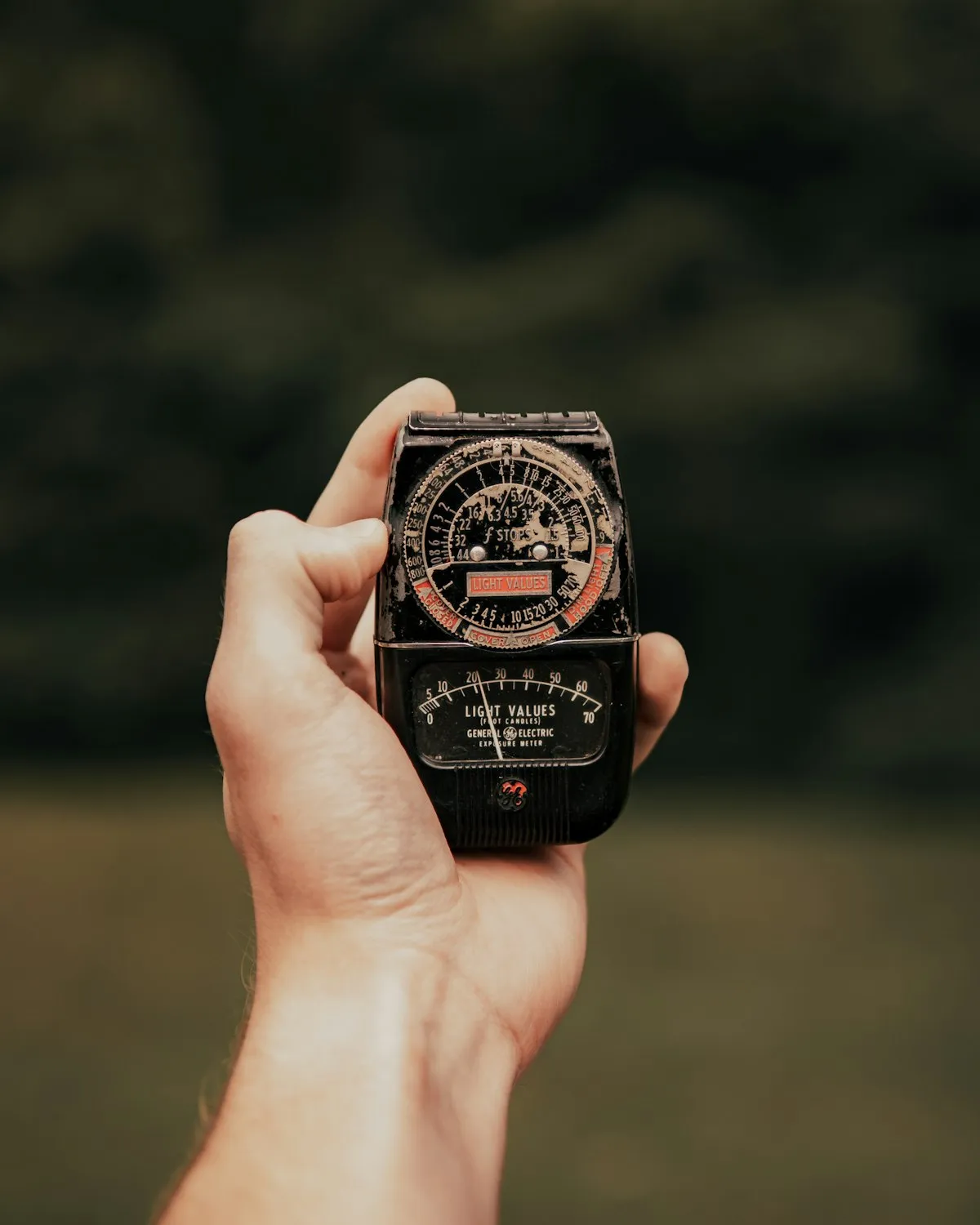
With digital cameras, exposure is a guess-and-check exercise. Take a shot, look at the screen, adjust, repeat. Film doesn't give you that luxury. Every frame costs money, and you won't see the results for days or weeks. A light meter — whether it's built into your camera, a handheld device, or an app on your phone — is how you get exposure right before you press the shutter.
Metering well is probably the single most impactful skill in film photography. A perfectly composed, beautifully timed photograph is worthless if the exposure is three stops off. And unlike digital RAW files, underexposed film negatives can't be rescued in post without introducing heavy grain and color shifts. The meter is your insurance policy against wasted frames.
A perfectly composed, beautifully timed photograph is worthless if the exposure is three stops off. The meter is your insurance policy against wasted frames.
Incident vs. Reflected Metering
Before getting into specific meters, you need to understand the two fundamental approaches to measuring light. Every metering tool falls into one of these categories, and each has strengths and blind spots.
Reflected metering measures the light bouncing off your subject back toward the camera. This is what your camera's built-in meter does, and what most phone apps do. It's convenient because you meter from the camera position. The limitation is that it can be fooled by the subject's reflectance — a white wall and a black cat in the same light will give you very different readings, even though the actual illumination is identical. The meter tries to make everything middle gray, which means it overexposes dark subjects and underexposes bright ones.
Incident metering measures the light falling on your subject, regardless of the subject's color or reflectance. You hold the meter at the subject's position, point the white dome toward the camera, and take a reading. Because it measures the light source directly, it isn't fooled by light or dark subjects. A white shirt and a black shirt will get the same reading in the same light — which is correct, because they're receiving the same amount of light.
For most film photography situations, incident metering is more reliable. But it requires you to walk up to your subject, which isn't always practical. Street photography, wildlife, and landscapes often demand reflected metering because you can't physically reach the subject. Understanding when to use which approach is half the battle.
Your Camera's Built-In Meter
Most film SLRs from the 1970s onward have built-in reflected light meters. The metering pattern varies by camera model, and knowing which pattern yours uses helps you anticipate its strengths and weaknesses.
Center-weighted metering is the most common pattern in classic film cameras like the Nikon FM2, Canon AE-1, and Pentax K1000. It measures the entire frame but gives about 60-75% of the weight to the central area. This works well for portraits and any composition where the main subject is centered. It struggles when the background is significantly brighter or darker than the subject — a backlit portrait, for instance, will typically read too much sky and underexpose the face.
Spot metering measures only a small area, typically 1-5% of the frame. This gives you precise control — you can meter exactly the shadow you want to hold detail in, or exactly the highlight you want to preserve. Cameras like the Nikon FM3A and the Olympus OM-4 offer excellent spot meters. The trade-off is that you need to understand tonal placement: if you spot-meter a shadow and set your exposure to that reading, the meter will render that shadow as middle gray, which means it'll be lighter than you expect.
Matrix (evaluative) metering divides the frame into zones and uses algorithms to guess at the scene type. Found in later cameras like the Nikon F5 and Canon EOS bodies, it's the most “set it and forget it” option. It handles average scenes very well but can make unpredictable decisions in non-standard lighting.
Handheld Meters
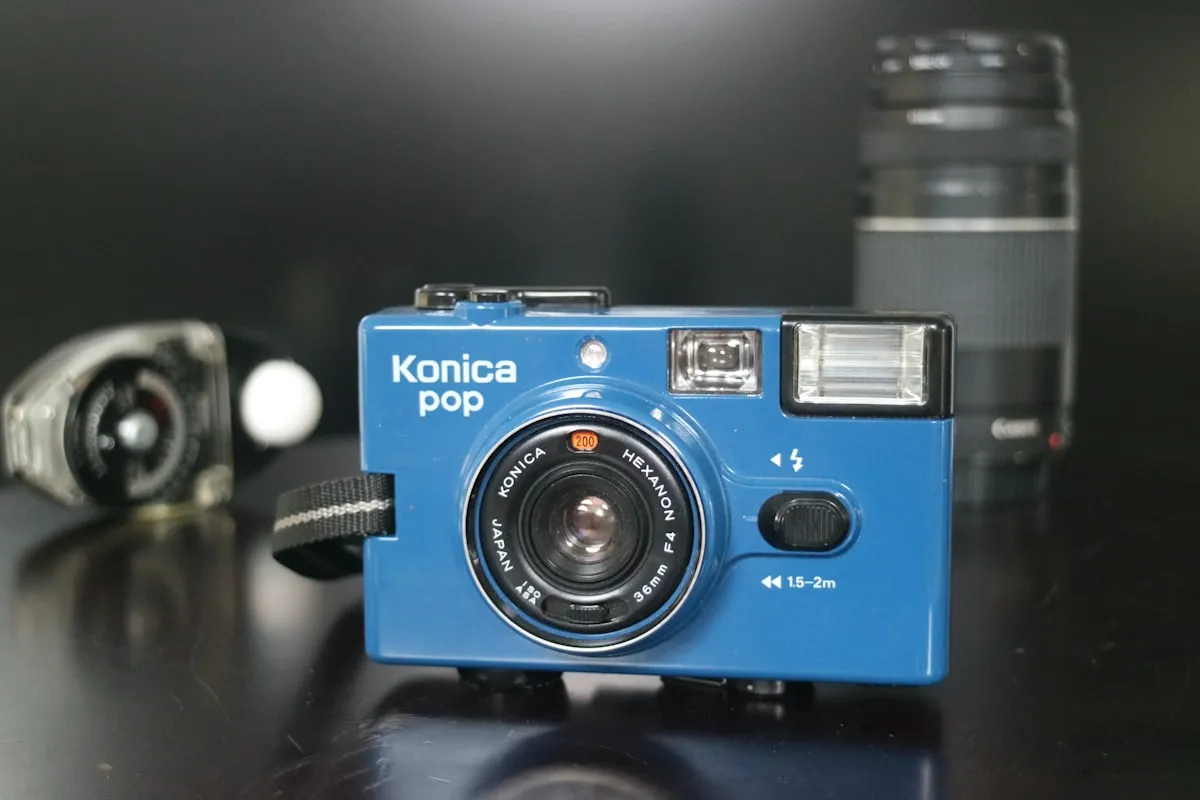
Dedicated handheld meters from Sekonic and Gossen are the professional choice. They can do both incident and reflected readings (most models include a white dome for incident and a flat disc or spot attachment for reflected). They're accurate, reliable, and built to last decades.
The Sekonic L-308X is a popular entry point — compact, intuitive, and around $200. For more advanced work, the Sekonic L-858D adds a spot meter, flash metering, and wireless trigger capability. Gossen's Digipro F2 is another excellent option with a reputation for rugged construction.
The downside is cost and one more thing to carry. If you're already hauling a camera bag with lenses, film, and filters, adding a handheld meter can feel like overkill. For professionals and large-format shooters who need absolute precision, the investment is justified. For casual and street shooting, a phone-based meter often makes more sense.
Phone Light Meter Apps
Your phone is always in your pocket, and its camera sensor is more than capable of measuring reflected light accurately. Pellica's built-in light meter uses your phone's camera to take reflected readings and outputs aperture, shutter speed, and ISO combinations ready to dial into your film camera. The advantage over a standalone meter app is integration — the reading feeds directly into your shot log, so your exposure data is captured the moment you meter.
Phone meters do reflected metering only (unless you buy an accessory dome attachment), so the same caveats about subject reflectance apply. But for the vast majority of shooting situations, a well-calibrated phone meter gives readings within a third of a stop of a dedicated Sekonic — more than accurate enough for negative film's generous latitude.
How to Meter: Step by Step
Regardless of which meter you use, the basic workflow is the same:
- Set your film speed. Make sure your meter knows what ISO you're shooting. If you're pushing Tri-X to 1600, set the meter to 1600, not 400.
- Point the meter at your subject. For reflected metering, aim from the camera position toward the subject. For incident metering, hold the meter at the subject and point the dome toward the camera.
- Take the reading. The meter will give you a set of aperture and shutter speed combinations. Any combination from that reading will produce the same exposure.
- Choose your combination. Prioritize based on what matters for the shot. Need shallow depth of field? Open the aperture. Need to freeze motion? Pick a fast shutter speed. Shooting on a tripod? Use a small aperture for maximum sharpness.
- Set the camera and shoot. Transfer the settings to your camera, focus, compose, fire. Log the frame in your film roll tracker while the data is fresh.
Tricky Metering Situations
Meters assume the world averages to middle gray (roughly 18% reflectance). Most scenes cooperate with this assumption. Some don't.
Backlit subjects. When the light is behind your subject — a person silhouetted against a window, a portrait at sunset — a reflected meter will read the bright background and underexpose the subject. Fix: meter the subject's face or skin specifically (walk up close if needed), or add 1.5 to 2 stops to the overall reading. With incident metering, just point the dome at the camera from the subject's position and you'll get a correct reading automatically.
Snow, sand, and bright surfaces. A meter reading of a snow-covered landscape will try to make the snow gray, resulting in underexposure. Add 1 to 2 stops of compensation to keep snow looking white. Beach scenes and white buildings have the same issue.
Dark subjects and scenes. A black cat on a dark couch, a dimly lit interior — the meter will try to brighten everything to middle gray, overexposing the scene. Subtract 1 stop to keep dark tones dark.
High-contrast scenes. When the difference between the brightest highlight and deepest shadow exceeds your film's dynamic range, you have to choose what to sacrifice. With negative film, the rule of thumb is to expose for the shadows and let the highlights take care of themselves — negative film handles overexposure far better than underexposure.
The Sunny 16 Rule
Before you had a meter — or when your meter's battery dies — there's Sunny 16. On a clear, sunny day with hard shadows, set your aperture to f/16 and your shutter speed to the reciprocal of your ISO. Shooting ISO 400? Set f/16 at 1/400s (or the nearest available speed, 1/500s).
From there, adjust for conditions: slightly overcast, open to f/11. Heavy overcast, f/8. Open shade, f/5.6. It's rough, but it works. Generations of photographers relied on Sunny 16 before built-in meters became standard, and it's still a useful sanity check when your meter gives you a reading that feels wrong.
Zone System Basics
Ansel Adams and Fred Archer developed the Zone System in the 1940s as a framework for precise exposure and development control. The full system is extensive, but the core idea is simple and immediately useful.
The tonal range is divided into 11 zones, from Zone 0 (pure black) to Zone X (pure white). Zone V is middle gray — where your meter places anything you point it at. If you spot-meter a shadow and want it to appear dark but with visible detail, you'd place it on Zone III — two stops below where the meter suggests. If you meter a highlight and want it bright but not blown, place it on Zone VII — two stops above the meter reading.
The practical takeaway: your meter tells you where middle gray is. You decide where to put each tone relative to that. Expose for the shadows (place them on Zone III), develop for the highlights (adjust development to control where they fall). This is the foundation of push and pull processing, and it's the reason metering and development are deeply connected decisions.
Practice and Build Intuition
The fastest way to internalize metering is active practice. Pick a scene, guess the exposure before you meter, then check your guess against the actual reading. How close were you? Over time, the gap narrows. Experienced photographers can often estimate exposure within a stop just by looking at the light — not because they have magical eyes, but because they've calibrated their judgment through thousands of conscious observations.
Pellica's light meter ties directly into your shot log, making this feedback loop effortless. Meter a scene, log the reading with your frame data, and when the scans come back, review how your metered exposure translated to the final image. Frame by frame, roll by roll, you build a personal understanding of how light translates to film — knowledge that eventually becomes instinct. Track everything in the film roll tracker, find a trusted lab for consistent processing, and let the data teach you what no tutorial can.