Why Film Photographers Need a Light Meter App
If you shoot film, you already know the situation. You pull out your Pentax K1000, your Hasselblad 500C, or whatever camera you love — and realize the built-in meter is either dead, wildly inaccurate, or simply doesn't exist. Plenty of the best film cameras ever made shipped without any metering at all.
The traditional solution is a handheld light meter. Great tools — Sekonic, Gossen, Minolta — but they start at $200 and go well past $500 for current models. That's a serious investment when you're already spending money on film, development, and scanning. And that's before you factor in the bulk of carrying another device in your bag.
Light meter apps for your phone solve the cost problem, but they introduce a different friction: app switching. You open your light meter app, take a reading, remember the values, switch to your film log app, and type them in. Or you scribble them on your hand. Or you just forget. We've all been there.
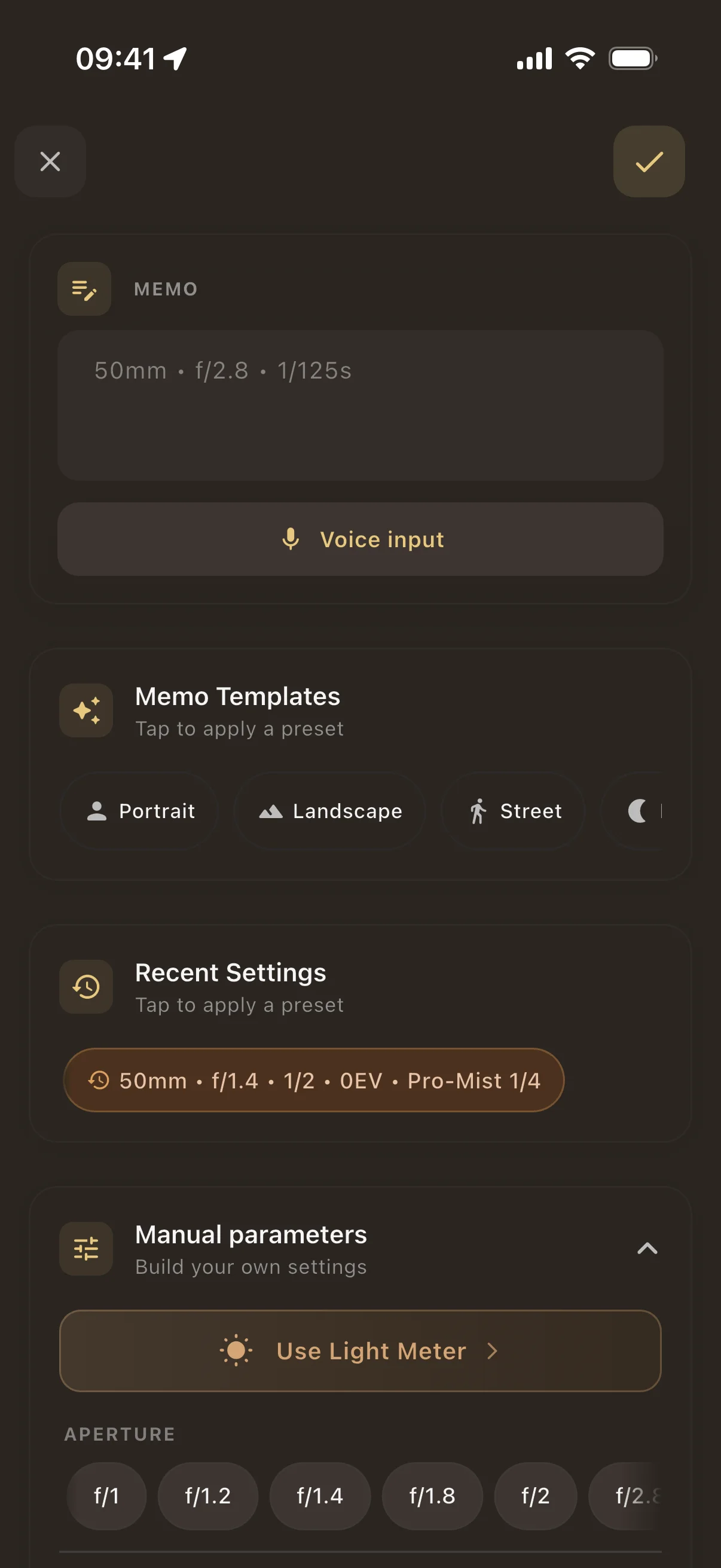
Pellica takes a different approach. The light meter is built directly into your shot logging workflow. You meter the scene, the values are right there, and you log the shot — all without leaving the app. One workflow. One app. No friction.
How Pellica's Light Meter Works
Pellica's exposure meter uses your iPhone's camera sensor to measure the light in your scene. Point your phone at your subject, and you get a real-time EV (exposure value) reading calibrated to your film's ISO.
Here's what happens under the hood and what you see on screen:
- Real-time metering — the camera feed analyzes scene luminance and converts it to an EV reading, updating live as you pan across the scene
- ISO-aware calculations — because your film stock is already set in your roll profile, the meter automatically uses the correct ISO. No manual entry needed.
- Aperture + shutter speed suggestions — the meter doesn't just give you an EV number. It shows you practical combinations (f/8 at 1/125, f/5.6 at 1/250, etc.) so you can pick the one that matches your creative intent.
- One-tap shot logging — once you've chosen your settings, tap to log the shot. The aperture, shutter speed, and metered EV are all saved together. No retyping, no mental math, no forgotten values.
The result is a metering workflow that feels natural to film photographers. You're not using a generic light meter that doesn't know what film you're shooting — you're using a meter that's aware of your entire roll context.
Light Meter + Shot Logging = Better Photography
Here's what most standalone light meter apps miss: the feedback loop. You take a reading, set your exposure, and shoot. Then what? When your scans come back two weeks later, do you remember what you metered? Can you compare the meter reading to the actual result?
With Pellica, every meter reading is saved alongside the shot it belongs to. When your developed photos come back from the lab, you can match each scan to its exposure data and see exactly what happened:
- Which metering approach worked — did your reading for that backlit portrait hold up? Was the shadow detail what you expected?
- How your film responded — Portra 400 handles overexposure beautifully, but Velvia does not. Seeing your metered values next to the scan teaches you each stock's character.
- Where you tend to under- or overexpose — your statistics reveal patterns. Maybe you consistently meter one stop hot in shade. Now you know.
This is the real advantage of having a light meter inside your film tracking app. It's not just about convenience (though that matters too). It's about creating a meter, shoot, develop, learn cycle that actually makes you a better photographer over time.
Compare: Pellica vs Standalone Light Meter Apps
Standalone light meter apps like myLightMeter Pro or Lux do their core job well — they measure light and give you exposure values. If all you need is a quick EV reading and you don't track your shots, they work fine.
But if you're already logging your film rolls (and you should be), using a separate meter app means doubling your work:
With a standalone meter: Open meter app, take reading, remember values, switch to film log app, enter values manually, hope you didn't transpose the numbers.
With Pellica: Open Pellica, meter the scene, tap to log. Done. The exposure data flows directly into your shot record — along with GPS, weather, and the rest of your metadata.
The best tool is the one that stays out of your way. When you're on the street and the light is changing fast, the last thing you want is to fumble between apps. Pellica keeps your hands on the camera and your mind on the shot.