Track Every Film Roll. Log Every Shot. Remember Everything.
The most complete film roll tracking app for analog photographers. Log exposure data in one tap, auto-capture GPS and weather, import your scans, and close the feedback loop between shooting and developing.
Why Track Your Film Rolls?
When you shoot digital, every image carries its own EXIF data. Aperture, shutter speed, ISO, white balance, focal length -- it is all embedded in the file. Film gives you none of that. Each frame is a blank canvas with no metadata attached.
Then there is the time gap. Days or weeks pass between pressing the shutter and seeing the developed negative. By the time your scans arrive from the lab, the memory of which settings you used on frame 14 is long gone. You might remember the golden-hour portrait, but was it f/2.8 or f/4? Did you push the film one stop or two?
Without a reliable shot log, you cannot learn from your exposures. You see a beautifully exposed frame but have no idea how to replicate it. You see a blown highlight and cannot diagnose what went wrong. A film roll tracker closes that feedback loop. It connects your creative decisions to the results, turning every roll into a learning experience.
How Pellica Tracks Your Film Rolls
Pellica is designed for the way analog photographers actually work -- fast, in the moment, and often with cold fingers. Every interaction is optimized for speed so you can stay focused on the shot.
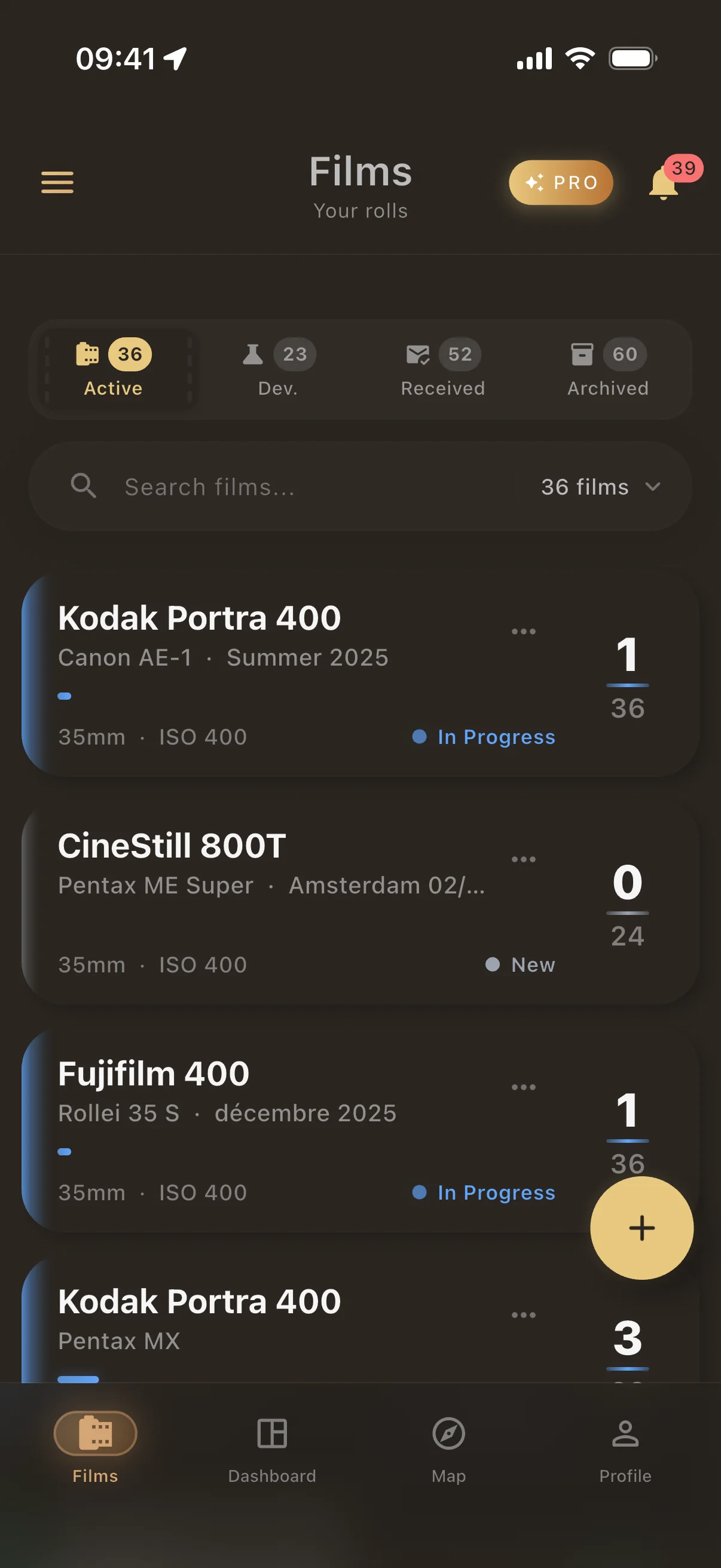
- Create a roll in seconds. Select your film stock from 200+ pre-loaded options, pick your camera and lens, and start shooting. Pellica remembers your favorites so the next roll is even faster.
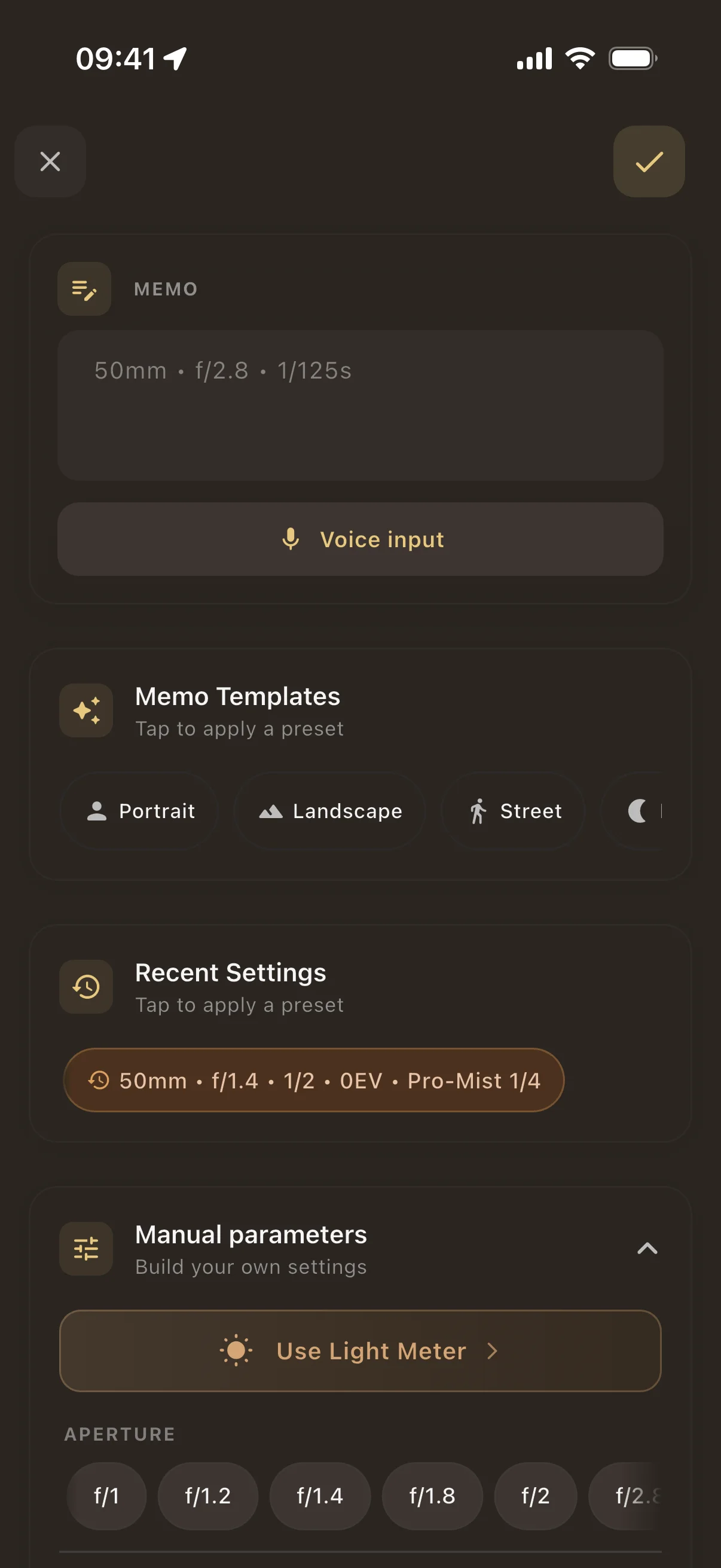
- Log each shot in one tap. Dial in aperture, shutter speed, and ISO with purpose-built controls. No typing, no menus -- just quick, tactile input designed for gloved hands and bright sunlight.
- Auto-capture GPS and weather. Every frame is tagged with your exact location and the weather conditions at the time of shooting. See where you were and what the light was like, even months later.
- Add voice notes hands-free. Dictate composition ideas, lighting notes, or why you chose a particular exposure. Voice memos stay attached to the frame so context is never lost.
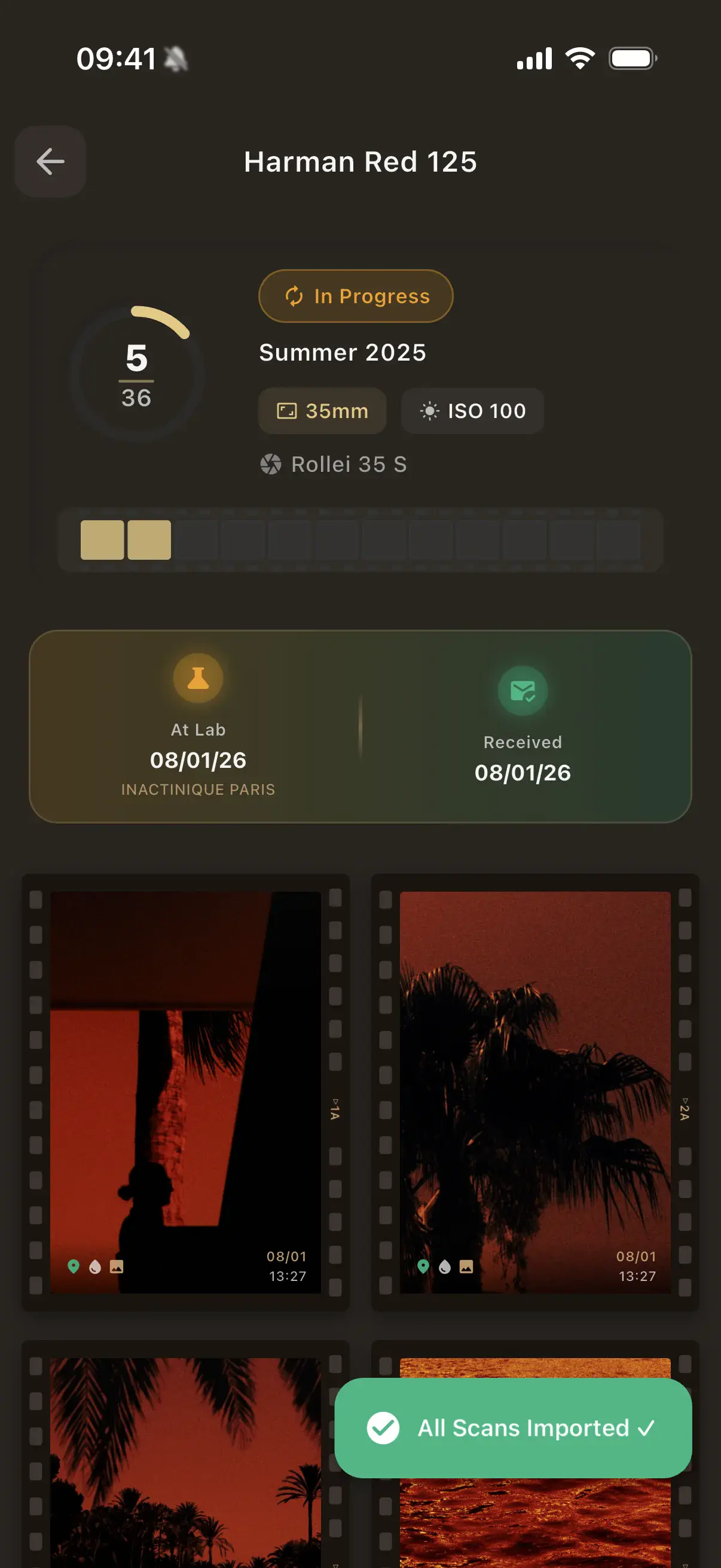
- Follow the roll lifecycle. Move each roll through its natural stages: shooting, at lab, developed, archived. Always know which rolls are active, which are waiting at the lab, and which are ready to review.
From Negatives to Knowledge
The real magic happens after development. When your scans come back from the lab, import them into Pellica and match each image with its original exposure data. Suddenly, every negative tells a complete story.
See what worked: the Portra 400 shot at f/2.8 during golden hour that nailed the skin tones. Understand what did not: the underexposed frame where you forgot to compensate for backlighting. Over time, Pellica builds a picture of your shooting patterns -- your most-used film stocks, favorite apertures, and the conditions where you produce your best work.
The statistics dashboard reveals insights you might never notice on your own. Maybe you consistently underexpose by half a stop on overcast days. Maybe your sharpest images come from a particular lens-and-film combination. This is the kind of feedback that accelerates growth as a photographer.
Supported Film Formats and Stocks
Pellica supports every major film format: 35mm, 120 medium format, and large format. Whether you are loading a Leica M6 or a 4x5 field camera, the app adapts to your frame count and workflow.
The built-in film stock database includes over 200 emulsions from Kodak, Fujifilm, Ilford, CineStill, Lomography, Foma, and more. Color negative, slide film, black and white -- they are all there with accurate ISO ratings and descriptions. If you are shooting something obscure or expired, you can add custom film stocks with your own notes.
Your camera and lens collection lives in the app too. Add your gear once and select it when you start a new roll. Pellica tracks which camera-lens-film combinations produce your best results, giving you data-driven confidence for your next shoot.
Frequently Asked Questions
What is a film roll tracker?
A film roll tracker is an app that logs the exposure settings for each frame you shoot on analog film. Since film cameras do not record EXIF data the way digital cameras do, a tracker captures aperture, shutter speed, ISO, location, and weather so you can review what settings you used once the film is developed. Pellica makes this process fast with one-tap logging, automatic GPS and weather capture, and voice notes for hands-free documentation.
Can I track multiple film rolls at once?
Yes. Pellica lets you manage as many active rolls as you need simultaneously. If you shoot with multiple cameras or switch between color and black-and-white mid-session, each roll maintains its own independent shot log, lifecycle status, and film stock information. Switching between active rolls takes a single tap.
What exposure data can I log per shot?
For each frame, you can log aperture (f-stop), shutter speed, ISO, and the lens used. Pellica automatically captures your GPS coordinates and local weather conditions (temperature, cloud cover, wind). You can also add free-text notes or voice memos for additional context like composition choices or creative intent.
Can I import my developed scans?
Absolutely. Once your negatives are developed and scanned, import the images into Pellica. Each scan is matched with the exposure data you logged in the field, so you can see the exact settings that produced each result. This is the feature that truly closes the feedback loop for film photographers.
Does Pellica work offline?
Yes. Pellica works fully offline -- all your data is stored locally on your device. You can log shots, manage rolls, and use the built-in light meter without any internet connection. GPS coordinates and weather data are captured using your phone's built-in sensors, so they work even without cell service.
Start Tracking Your Film Rolls Today
Join analog photographers who never lose another exposure. Free on iOS.
Free • No spam • Join in 10 seconds